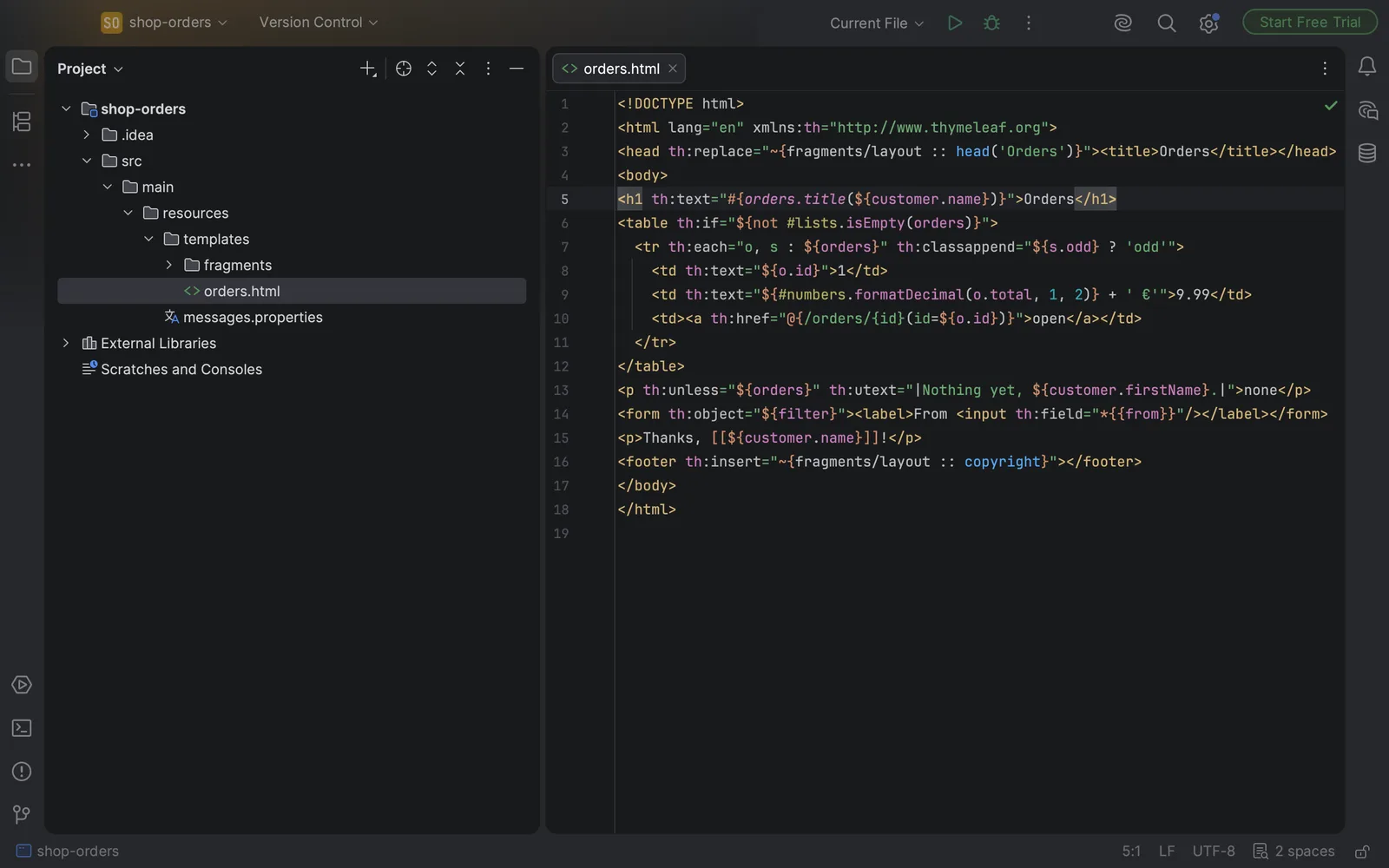
If you build Spring Boot apps with Thymeleaf in the free IntelliJ IDEA, you know what your templates look like there. Each th: attribute is one long string in one colour, and depending on your version, the HTML check underlines it as an attribute that isn't allowed. JetBrains does have proper Thymeleaf support. It's in the paid tier.
Here's what the free IDE does, what you can do about it without paying, and where our own plugin fits.
Which IntelliJ IDEA you have matters
Up to version 2025.2, IntelliJ IDEA came in two editions. Community Edition was free and had no Thymeleaf plugin from JetBrains at all. Ultimate had the full support.
Starting with 2025.3, JetBrains merged the two into one IntelliJ IDEA. Without a subscription you get the free feature set, and the Ultimate subscription adds the rest, with a 30-day trial when you install. JetBrains' Thymeleaf plugin is bundled now, and its help page says basic syntax highlighting is available without the subscription.
What that free part does in practice is narrower than it sounds. When we looked at IntelliJ IDEA 2026.2.3 without a subscription, it made the editor accept th: attributes, but only in projects that have the Thymeleaf library, and it left the usual xmlns:th="http://www.thymeleaf.org" declaration flagged as "URI is not registered". The expressions inside the attributes stayed plain strings. Their colours, completion and checks sit in the part of JetBrains' plugin that needs the subscription.
The moment it costs you
A typical case: you rename a fragment in fragments/layout.html from footer to copyright, and update the pages you remember. One page you forgot still says:
<footer th:insert="~{fragments/layout :: footer}"></footer>The app builds and starts. Then someone opens that page and Thymeleaf throws:
Error resolving fragment: "~{fragments/layout :: footer}": template or fragment could not be resolvedA misspelled message key is quieter. #{orders.titel} doesn't throw anything. The page just shows ??orders.titel_en_US?? where the heading should be, and someone has to notice.
In the free editor, both mistakes are just text inside an attribute.
Options without Ultimate
Quiet the false warnings
If the editor underlines every th: attribute, put the caret on one and press Alt+Enter (⌥↩ on macOS). The HTML check offers to add the attribute to its list of custom HTML attributes. That works one attribute name at a time, so expect to do it for th:text, th:if, th:each and every other attribute you use. For the namespace, the same menu offers to ignore the address as an external resource. It takes some clicking, but it costs nothing, and attribute names you haven't added still get flagged, so a typo like th:txet still stands out.
Thymeleaf Support
Thymeleaf Support is a free plugin on JetBrains Marketplace. Its listing describes completion of attribute names for Thymeleaf's th: attributes, Spring Security's sec: attributes and the Layout dialect's layout: attributes, with tooltips that describe each one. It helps you write the attributes. It doesn't colour or check what's inside them.
Oskuvi TH Expressions
We make this one, so read this part with that in mind.
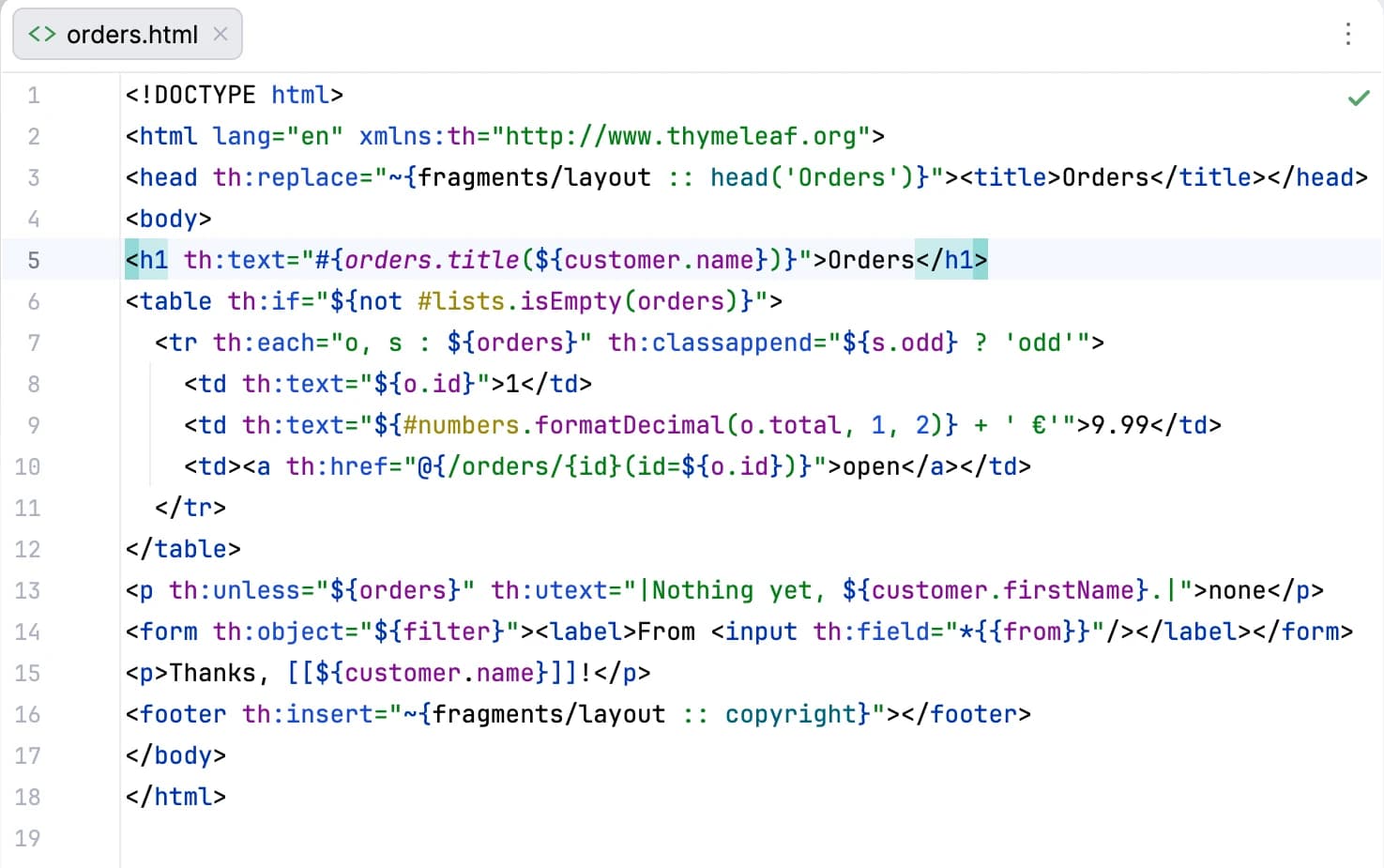
Oskuvi TH Expressions makes the editor read what stands inside the th: and data-th- attributes of your HTML files.
The five kinds of expression, ${…}, *{…}, #{…}, @{…} and ~{…}, are coloured along with their strings and operators, and their brackets are matched. The editor's own HTML checks also stop flagging th: attributes, <th:block> and Thymeleaf's namespace.
On top of that, the editor goes from a template to the fragments and message keys it names, completes fragment names and message keys, and checks for a template, fragment or message key that doesn't exist. That check is what flags the renamed footer and the misspelled key while you're still in the file. The plugin has a 7-day free trial through JetBrains Marketplace, and needs a licence once it ends.
A few things to know before you try it:
- It looks for templates as
templates/<name>.htmland for message keys in yourmessages*.propertiesfiles. If you've changed the message basename withspring.messages.basename, it won't find those keys. - It reads Thymeleaf's own expressions. The Layout dialect and Spring Security's
sec:attributes aren't part of it. - Where JetBrains' Thymeleaf plugin runs with its paid part, Oskuvi TH Expressions steps aside and leaves the templates to it.
- It doesn't inject anything into attribute values, so it doesn't take the place of Thymeleaf Support's completion. We haven't tested the two side by side yet.
Make sure you're on version 1.0.2 or later, which is what the Marketplace serves now. Earlier versions stepped aside in the free IntelliJ IDEA 2025.3 and later, because JetBrains' plugin loads there for its free part.
To install it, open Settings → Plugins → Marketplace, search for "Oskuvi TH Expressions" and click Install, or start from its page on JetBrains Marketplace. It works in IntelliJ IDEA and the other JetBrains IDEs from version 2025.1. It only reads your files. It contacts no address and sends nothing anywhere.
So which should you use?
If you write templates every day and the subscription fits your budget, JetBrains' own plugin with the Ultimate subscription covers the most ground. If you're staying on the free IDE, the custom-attribute quick fix costs nothing, Thymeleaf Support helps you type attribute names, and Oskuvi TH Expressions makes the expressions readable and catches broken fragment and message references before your users do.
If you're building or taking over a Spring Boot platform, that's the kind of work our software and app development team takes on. Django has the same gap in the free PyCharm, which we cover in Django template tags in PyCharm Community. Our other tools for JetBrains IDEs are on the products page.
Thymeleaf is an open-source project of its own authors. JetBrains and IntelliJ IDEA are trademarks of JetBrains s.r.o. Oskuvi TH Expressions is made by NPCoding and is not affiliated with, or endorsed by, the Thymeleaf project or JetBrains. Other names belong to their owners.