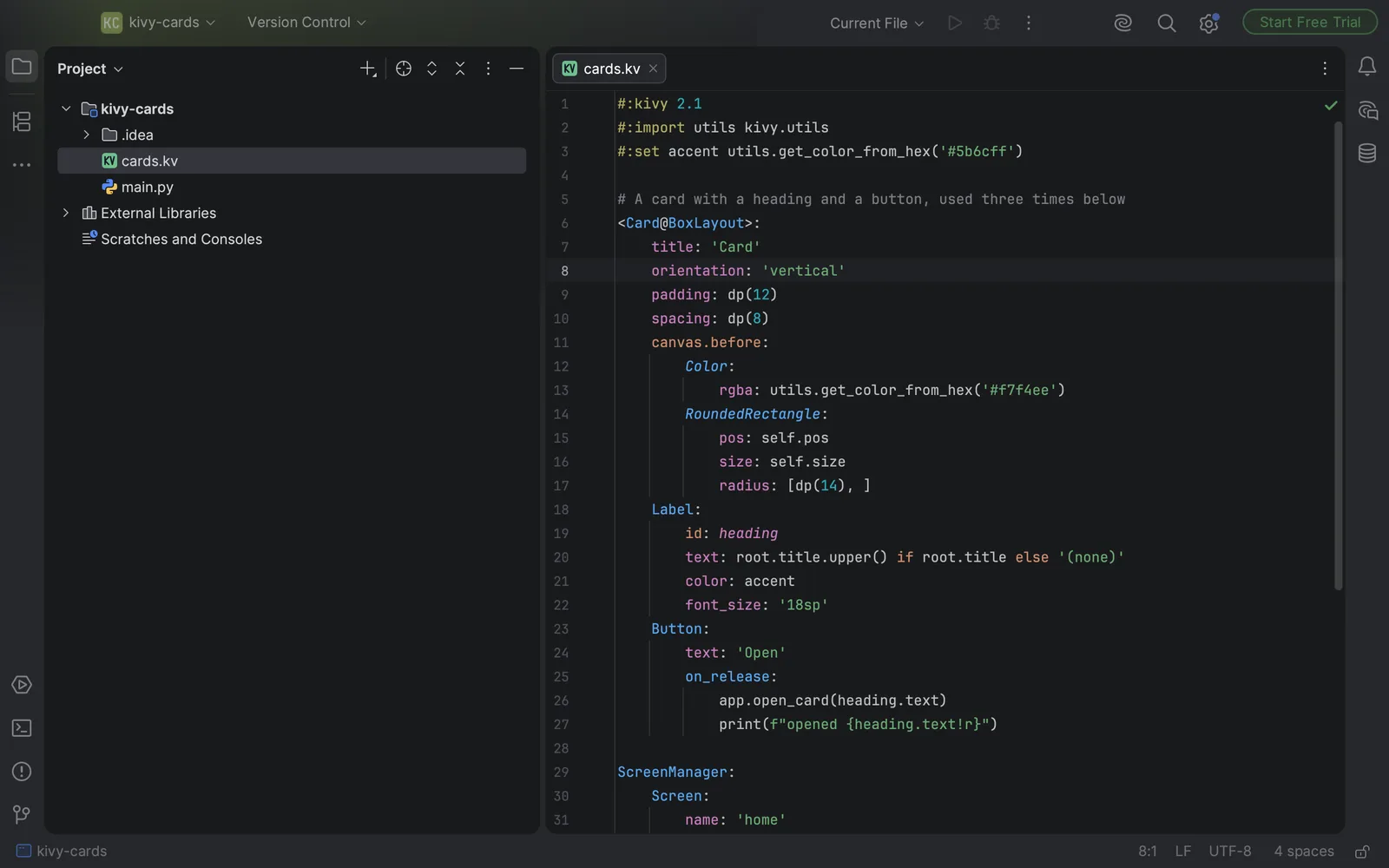
If you write Kivy apps in PyCharm, your .kv files probably open as flat grey text. Nothing is coloured, nothing folds, nothing completes, and nothing tells you when a line is wrong. Neither PyCharm nor IntelliJ IDEA ships a file type for the kv language, so the editor has no idea what it's looking at.
That's easy to live with until a kv mistake costs you a run of the app. Here's a common one.
A mistake the editor can't see
You're building a settings screen. The rule has a BoxLayout with a label and a button. Later you decide the layout needs some padding, so you add it at the bottom, under the button:
<SettingsScreen>:
    BoxLayout:
        orientation: 'vertical'
        Label:
            text: 'Sound'
        Button:
            text: 'Save'
        padding: dp(12)
It looks reasonable. Then you start the app and Kivy stops with a ParserException that says Invalid data after declaration, pointing at the padding line.
In kv, once a widget's children begin, every line at their indentation is read as another child. padding: dp(12) sits where a child should be, so Kivy reads it as a widget declaration with stray data after the colon. Move the property above the first child and the file loads:
<SettingsScreen>:
    BoxLayout:
        orientation: 'vertical'
        padding: dp(12)
        Label:
            text: 'Sound'
        Button:
            text: 'Save'
We ran both versions through the parser of Kivy 2.3.1 before writing this. The first is refused with exactly that message and the second loads. In a plain-text editor, though, you only find out when you run the app. So the real question is how to get PyCharm to understand the file.
Your options
A custom file type (free, built in)
Every JetBrains IDE lets you define a simple file type of your own. It won't understand kv's structure, but it gives you comments, matched brackets and coloured keywords.
- Open Settings and go to Editor → File Types.
- Under Recognized File Types, click + and give it a name, such as "Kivy kv".
- Under Syntax Highlighting, set the line comment to
#and tick the options for paired brackets and parentheses. - Fill the keyword lists with what you use most. For example, widget classes (
BoxLayout,Label,Button) in one list, properties (text,size_hint,padding) in another, andcanvas,canvas.beforeandcanvas.afterin a third. You get up to four lists, each in its own colour. - Under File name patterns, add
*.kv.
The words in those lists are also offered as completions. The limit is that the IDE matches words, not structure. It can't tell a rule from a property, and it won't notice the padding mistake above.
KV4Jetbrains (free settings file)
KV4Jetbrains is an MIT-licensed settings file on GitHub that does the same job with the lists already filled in, including KivyMD names. You import it through File → Manage IDE Settings → Import Settings and restart the IDE. Its readme suggests exporting your own settings first as a backup, which is worth doing. It also describes a workaround for kv code inside Python strings. The project's last change was in January 2024.
Under the hood it's a word list like the custom file type, so the same limits apply.
A plugin that reads the kv language
The third route is a plugin that parses .kv files the way Kivy does. When we checked the JetBrains Marketplace in October 2026, Oskuvi KV Language was the only plugin there that declares .kv files, which is also why the IDE can suggest it when you open one.
We make Oskuvi KV Language, so keep that in mind as you read the next part.
Where Oskuvi KV Language fits
Oskuvi KV Language makes the editor read the rules, widgets, properties and canvas instructions of the kv language, along with the Python in their values.
Rules and dynamic classes, widgets, properties, ids, canvas instructions and directives each get their own colour. Brackets are matched, blocks fold and the comment key works. In PyCharm, the value after a property's or handler's colon is read by the editor's own Python support, so it gets Python's colours and its syntax errors.
It also completes widget classes, properties and ids (it knows Kivy's 102 widgets and 48 canvas instructions), goes from a rule to its Python class and from an id to where it's given, and runs checks that flag what Kivy's own parser would refuse. There's a 7-day free trial through JetBrains Marketplace, and after that the plugin needs a licence.
That last check is the one that would have caught the padding line before you ran anything. Its checks follow the parser of Kivy 2.3.1, and the plugin's tests run that parser next to the plugin. On the 153 kv texts that ship inside Kivy, both read the same structure. On 7,724 texts broken on purpose, both refuse the same line with the same message.
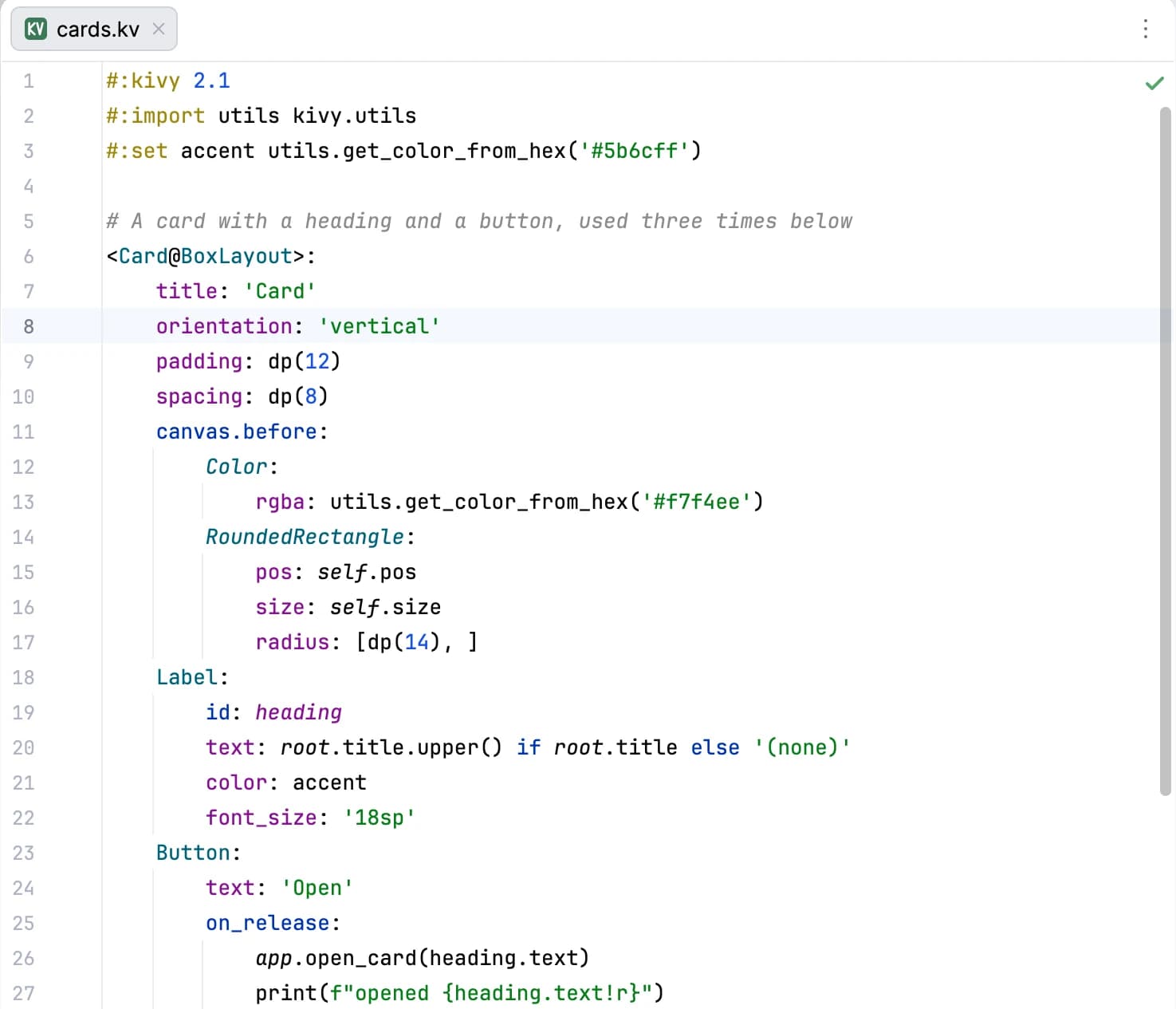
To install it, open Settings → Plugins → Marketplace, search for "Oskuvi KV Language" and click Install, or start from its page on JetBrains Marketplace. It works in PyCharm, IntelliJ IDEA and the other JetBrains IDEs from version 2025.1. It only reads your files. It contacts no address and sends nothing anywhere.
One thing we haven't tested yet: if you've already imported KV4Jetbrains, two file types will claim *.kv. You can see which one the IDE uses under Settings → Editor → File Types.
Which one to pick
If you open a .kv file once a month, the custom file type is plenty. If most of your interface lives in kv files and you'd like the editor to understand them, give the plugin its 7-day trial and see whether completion and checks save you runs of the app.
Planning a Kivy app, or weighing native against cross-platform? Building iOS and Android apps from idea to store release is what our web and mobile app team does. If you also keep Django templates in the free PyCharm, we cover that gap in Django template tags in PyCharm Community, and the rest of our tools are on the products page.
Kivy is an open-source project of its own authors. Python is a registered trademark of the Python Software Foundation. JetBrains, IntelliJ IDEA and PyCharm are trademarks of JetBrains s.r.o. Oskuvi KV Language is made by NPCoding and is not affiliated with, or endorsed by, the Kivy project or JetBrains.