Skip to content
Android & iPhone app

I Need a Break – Screen Time

Close your scrolling apps with one tap or on a schedule, then earn more time with push-ups, steps and focus.

Google Play: coming soonApp Store: coming soon
Status
Google Play: coming soonApp Store: coming soon
Platforms
Android and iPhone
Languages
English and Hebrew, including right-to-left
Pricing
7-day free trial, then a monthly or yearly subscription
Built by
NPCoding

(01) What it does

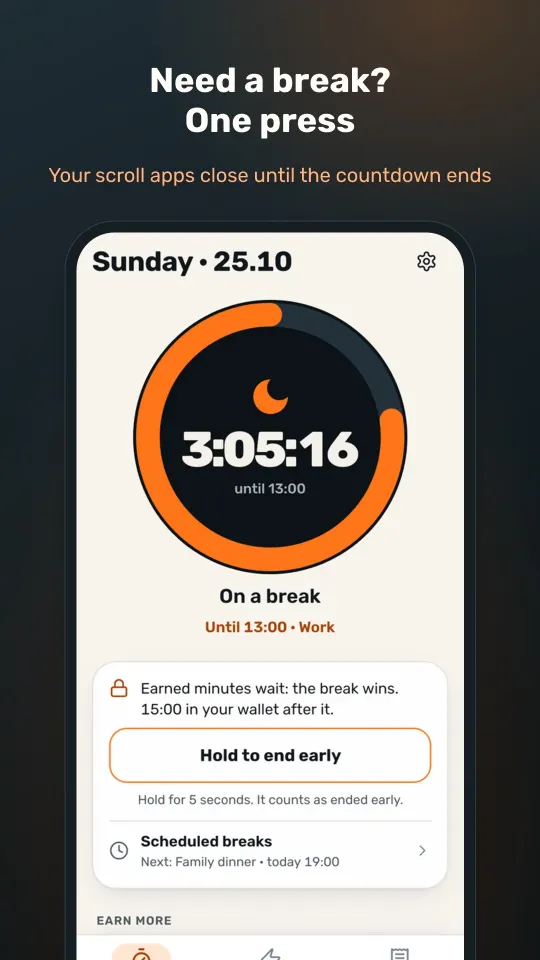
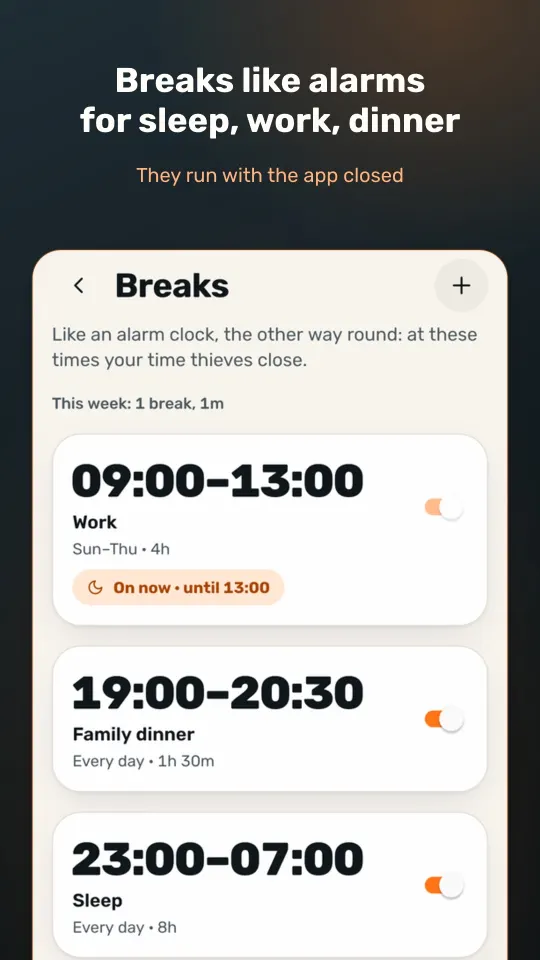
Tap "Break now" and your scrolling apps close for 30 minutes, an hour, two hours or as long as you choose. You can also schedule breaks in advance, like an alarm clock in reverse: sleep from 11 pm to 7 am, work on weekdays, a family dinner. They run even when the app is closed.

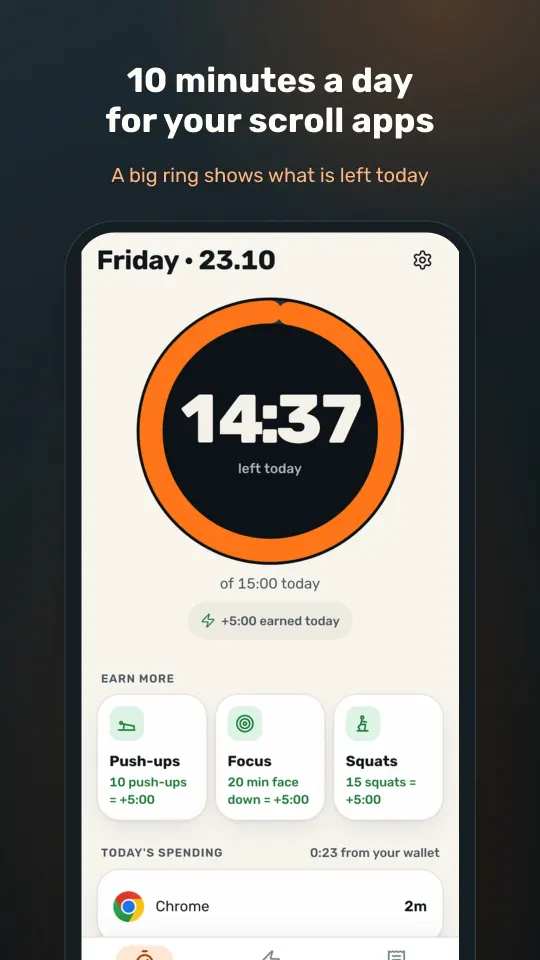
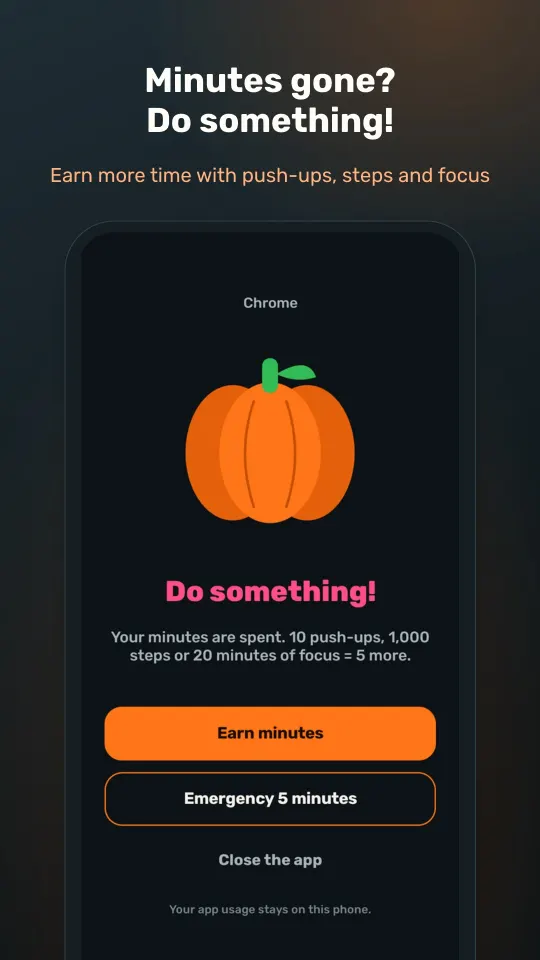
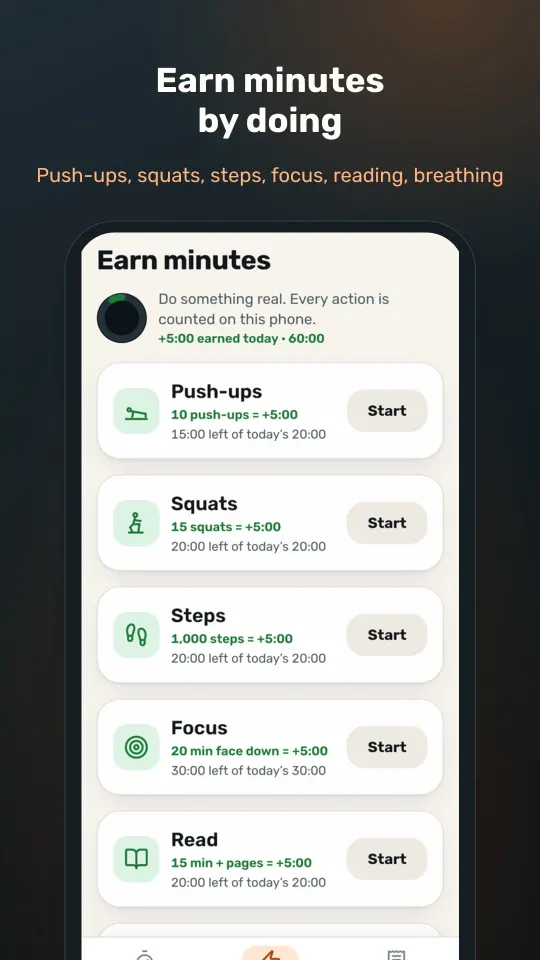
The rest of the day the apps you chose get 10 minutes. When those run out the block screen says "Do something!" and you can earn more: 10 push-ups give you 5 minutes, counted by the camera on the phone itself, with nothing recorded and nothing sent. 1,000 steps give 5 minutes, and so do 20 minutes of focus, 15 minutes of reading or two minutes of breathing.

(02)Who it's for

Made for people like these.

  • People who scroll more than they want to and want a clear limit.
  • Anyone who wants sleep, work and mealtimes without distractions.

(03)Key features

What's in it, feature by feature.

  • 01

    A break in one tap

    30 minutes, an hour, two hours or your own length, with a big countdown.

  • 02

    Scheduled breaks

    Sleep, work or a meal, on the days you set, with a reminder 5 minutes before if you want one.

  • 03

    Earn minutes

    Push-ups in front of the camera, steps, focus, reading and breathing. Frames are processed on the phone and thrown away.

  • 04

    Choose what to spend

    Each time you open a scrolling app you pick 2, 5 or 10 minutes. Leave early and the rest goes back in your wallet.

  • 05

    A weekly receipt

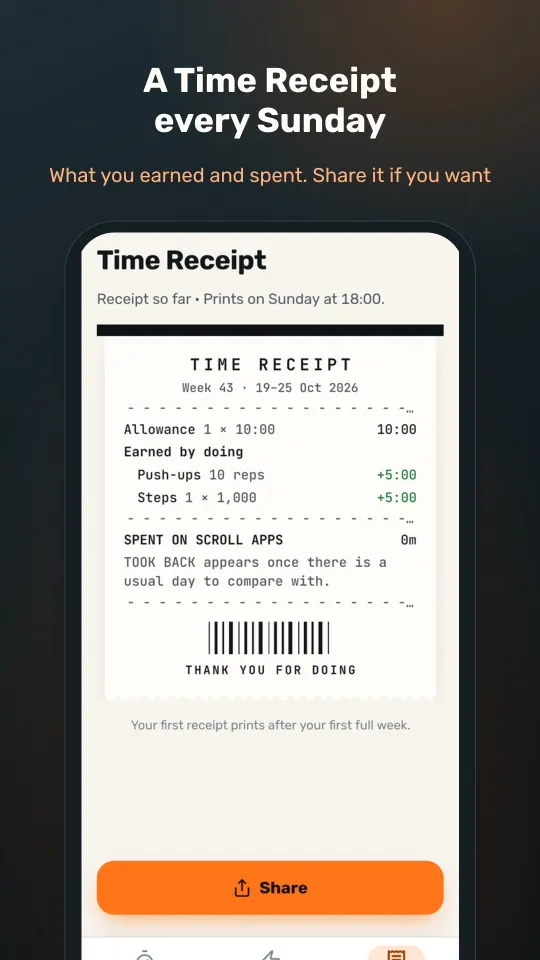
    Every Sunday: what you earned, what you spent and how much time you took back, with a picture to share if you like.

  • 06

    Private by design

    Your app usage stays on the phone, with no account, no ads and no contacts.

Screenshots

  • 10 minutes a day for scrolling apps
  • The block screen during a break
  • A break at a set time, with the minutes you earned kept
  • Scheduled breaks: sleep, work and dinner
  • Earn minutes with push-ups, steps, focus and reading
  • The weekly receipt

(04)FAQ

Questions, answered.

Does the camera record me?

No. Frames are processed on the phone and thrown away. Nothing is recorded and nothing is sent.

What happens without a subscription?

You start free with the first minutes you earn. To keep the 10-minute rule going you choose a subscription, and without one nothing stays blocked.

Why does it ask for permissions?

Usage access to see which app is open, and permission to display over other apps to show the block screen. That information stays on the phone.

How does the free trial work?

A subscription starts with a 7-day free trial and nothing is charged during it. The trial is for new subscribers, and the app offers it only when your store account is still eligible. After the trial the subscription renews on its own unless you cancel at least 24 hours before it ends, in your Google Play or App Store subscription settings.

(05)Related

Next step

Need a plugin or an app of your own?

The team that makes these products also builds web and mobile apps, plugins and integrations for clients. Tell us what you need, and we'll come back with practical next steps and an honest estimate.